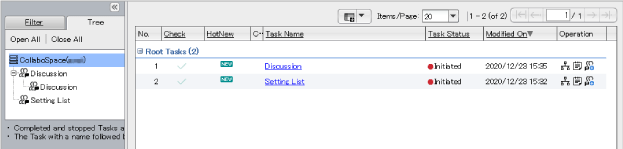
An area where the major contents of each window are displayed. Windows are divided into left and right frames or top and bottom frames, and page is displayed in each frame. The following is an example of the connection of tasks related to the user oneself displayed in the left frame; while the task list page displayed in the right frame.
Fig.: Example of View Contents Area
To hide the left frame, click  .
.
To unhide the left frame, click  .
.